Platformer Starter
A complete 2D platformer template for Godot 4.7: a player with coyote time, jump buffering and variable jump height, a TileMapLayer level, a camera that stops at the level's edges, coins, checkpoints, death and a HUD. 42 tests prove each part.
Drop it into your project
- To start a new game from it, unzip the folder, choose Import in the Godot Project Manager and pick the folder's
project.godot. The project opens ondemo.tscn, where an AutoPilot plays the level until you press a key. Your game ismain.tscn: open it and press F6, or make it the main scene under Project Settings > Application > Run and deletedemo.tscn,autopilot.gdandautopilot.gd.uid. - To add it to a game you already have, copy the unzipped folder into your project, for example as
res://platformer/, and deleteproject.godotfrom the copy. Godot skips any folder that holds its ownproject.godot: in a test it printed "Detected another project.godot at res://platformer. The folder will be ignored." andmain.tscncould not find its scripts. Delete the demo files too. Keep every.uidand.importfile, because the scenes find their scripts and textures by those IDs. In a test, the folder copied this way into a new Godot 4.7 project imported and ran with no errors, and all 42 tests passed fromres://platformer/tests/. - For the same crisp pixels in your own project, copy the
[display]settings from the zip'sproject.godot: base size 320 x 180, window override 1280 x 720, stretch modecanvas_itemsand stretch scale modeinteger. Without them Godot draws the game at 1 to 1 in its default 1152 x 648 window, and the level looks tiny. - Run
main.tscn. Run with A D or the arrow keys and jump with Space, W or Up. Hold jump for a full jump and tap it for a hop. The keys work without any setup:player.gdchecks for its three actions (move_left,move_right,jump) when the player starts and adds any that are missing, with those keys. To rebind keys or add a gamepad, create the actions under Project Settings > Input Map, or paste the[input]section of the zip'sproject.godotinto yours. The script never touches an action that already exists. - Make the level yours in
level.tscn. SelectGroundand paint with the TileMap panel at the bottom of the editor: every solid tile collides, the plank tiles are one-way platforms and the spike tile kills. Drop in morecoin.tscnandcheckpoint.tscninstances anywhere under the level and move theStartmarker.main.gdfinds every coin and checkpoint by itself and sets the camera limits from whatever you painted. - To run the tests, open a terminal in the unzipped folder and run
godot --headless --path . --fixed-fps 60 res://tests/starter_test.tscn, withgodotbeing your Godot 4.7 executable. Each check prints PASS or FAIL with what it measured, and the exit code is the number of failures. In your own project, runres://platformer/tests/starter_test.tscninstead.
Parameters
| Name | Type | Default | What it does |
|---|---|---|---|
speed | float (0 to 600) | 200 | Top running speed in pixels per second. Measured: 200.00 px/s, and still 200.00 over 600 px of tiles, so the box never catches on a seam between tiles. |
acceleration | float (0 to 10000) | 1600 | How fast the player speeds up while a direction is held, on the ground and in the air, in px/s². speed / acceleration = 0.125 s to full speed; measured 8 ticks, 0.133 s. |
deceleration | float (0 to 10000) | 2200 | How fast the player slows down when no direction is held. Measured: a stop from full speed in 6 ticks (0.1 s) and 7.5 px of slide. |
jump_velocity | float (-1000 to 0) | -400 | Vertical speed at the start of a jump. Negative is up in 2D. The peak is jump_velocity² / (2 × gravity): 81.6 px with the default 2D gravity of 980. Measured: 85.1 px. |
coyote_time | float (0 to 0.5) | 0.1 | Seconds after running off an edge during which jump still works, counted in whole physics ticks: 0.1 s at 60 ticks per second is 6 ticks. Measured: a jump 0.100 s after the edge (the 6th tick in the air) works, 0.117 s (the 7th) is too late. |
jump_buffer | float (0 to 0.5) | 0.1 | Seconds a jump pressed in the air is remembered, so it fires on the tick the player lands. Counted in whole ticks like coyote_time. Measured: pressed 0.100 s (6 ticks) early it fires; 0.117 s early it has expired. 0 turns buffering off. |
jump_cut | float (0 to 1) | 0.5 | When jump is let go while the player is still rising, the upward speed is multiplied by this once. Let go after 0.1 s, the jump peaked at 48.9 px instead of 85.1 px. 1 turns variable jump height off. |
fall_limit_y | float | 100000 | The player dies when its feet go below this global y. main.gd sets it to the level's bottom edge plus fall_margin, so you rarely set it yourself. |
fall_margin (Main) | float (0 to 512) | 48 | Set on the Main node: how far below the bottom edge of the level the player falls before it dies, in pixels. 48 lets it drop out of view first. |
How it works
A platformer is a handful of small systems that have to agree with each other: a body that runs and jumps, a level it collides with, a camera, pickups, hazards and a screen that reports the score. This section goes through each one in the order you will meet them in the project, explains the choices that are easy to get wrong, and gives the test that proves it. The full scripts are in the zip; the code below is the part each idea needs.
Four scenes and one rule
The game is split into main.tscn, level.tscn, player.tscn and hud.tscn, plus coin.tscn and checkpoint.tscn that the level instances. Each scene can be opened, run and changed on its own. You can paint a second level without touching the player, restyle the HUD without opening the level, and the tests drop the same player.tscn into small test levels of their own. main.tscn is the only scene that knows about the others. It is also where the game state lives: the coin count and the respawn point are plain variables in main.gd, not an autoload. An autoload has to be registered in Project Settings, and that registration lives in project.godot, which never comes along when you copy a folder.
The scenes talk by one rule: signals go up, calls go down. A coin does not know there is a score; it emits collected and frees itself. The checkpoint emits reached, and the player emits died. Main listens to all three and answers by calling down: hud.set_coins(), hud.show_message(), player.respawn(). Main connects every coin and checkpoint it finds anywhere under the level when the game starts, so adding one to the level is all the wiring a new coin needs. Coins you spawn from code later are not connected for you; connect their collected signal when you create them.
func _connect_pickups(node: Node) -> void:
	for child in node.get_children():
		if child is Coin:
			child.collected.connect(_on_coin_collected)
			total_coins += child.value
		elif child is Checkpoint:
			child.reached.connect(_on_checkpoint_reached)
		_connect_pickups(child)
Running: one speed, two rates
The player is a CharacterBody2D: it moves only when the script says so, and move_and_slide() slides it along whatever it hits and records whether it is on a floor. Horizontal speed moves towards a target instead of jumping to it. The target is the input direction times speed, and the step per tick is acceleration while a direction is held and deceleration when none is. That gives a short, even speed-up and a short slide when you let go, and it is the same model the platformer lesson builds. Gravity comes from get_gravity(), the project's 2D gravity (980 px/s² by default) or an Area2D that overrides it.
var direction := Input.get_axis(&"move_left", &"move_right")
var rate := acceleration if direction != 0.0 else deceleration
velocity.x = move_toward(velocity.x, direction * speed, rate * delta)
move_and_slide()
Coyote time and jump buffer are two timers
Coyote time answers "may the player still jump?" after it runs off an edge, for a moment, because people press jump a little late. The jump buffer answers "did the player ask to jump?" a moment before landing, because people press jump a little early. They are two separate timers and they fix opposite mistakes. Both count whole physics ticks: _to_ticks() turns the seconds you set into ticks, rounded, so 0.1 s at 60 ticks per second is 6. The coyote counter is full on the floor and counts down by one each tick in the air. The buffer counter is full on the tick jump is pressed and counts down after that. A jump happens on any tick where the buffer counter is 0 or more and the player is on the floor or the coyote counter is 0 or more. Both windows include their last tick: the 6th tick in the air still allows a jump, the 7th does not.
if is_on_floor():
	_coyote_ticks = _to_ticks(coyote_time)
else:
	_coyote_ticks = maxi(_coyote_ticks - 1, -1)
if Input.is_action_just_pressed(&"jump"):
	_buffer_ticks = _to_ticks(jump_buffer)
else:
	_buffer_ticks = maxi(_buffer_ticks - 1, -1)
if _buffer_ticks >= 0:
	_try_jump()


func _try_jump() -> void:
	if is_on_floor() or _coyote_ticks >= 0:
		velocity.y = jump_velocity
		_coyote_ticks = -1
		_buffer_ticks = -1
		_jump_held = true


static func _to_ticks(seconds: float) -> int:
	return roundi(seconds * Engine.physics_ticks_per_second)
The tests run the player off the end of a tile floor and press jump a set time after it left: at 0.050, 0.083 and 0.100 s it jumped, at 0.117 and 0.150 s it fell. They drop it from 96 px and press jump before it lands: 0.033, 0.083 and 0.100 s early it took off on the landing tick, 0.117 and 0.150 s early the press had expired. Each window was also made one tick shorter and one tick longer in a scratch copy, and each time the 0.100 s or the 0.117 s check failed. Counting ticks is what makes that boundary exact. An earlier version subtracted delta from a timer in seconds and tested it with > 0: in Godot, 0.1 minus six steps of 1/60 leaves 2.08e-17, a tiny positive number, so the 6th tick only passed because of how the subtraction happened to round. Setting both counters to -1 after a jump matters too. Without _coyote_ticks = -1, a second press 0.05 s into a jump jumped again in mid-air; the test checks that it does not. Without _buffer_ticks = -1, one press under a ceiling 1 px above the head gave two take-offs, because the player was back on the floor while the press was still buffered; the test checks for exactly one.
Variable jump height
Letting go of jump while the player is still rising multiplies the upward speed by jump_cut once. The script checks whether jump is still held on every tick of the jump, rather than waiting for the release event, so a jump that was buffered from a tap is cut on the tick it starts: a tap 0.083 s before landing gave a hop at -200 px/s, half the full jump. The test lets go 0.1 s after take-off and measures the peak: 48.9 px, against 50.4 px worked out from the cut, and a full jump of 85.1 px. With the cut line removed, both jumps were the same height and the test failed.
if _jump_held and not Input.is_action_pressed(&"jump"):
	_jump_held = false
	if velocity.y < 0.0:
		velocity.y *= jump_cut
The level is a TileMapLayer
The level is painted on a TileMapLayer called Ground, with a second one, Background, for grass, flowers and the brick pillars, which has Collision Enabled off. Collision belongs to the tiles, not the node. tileset.tres has two physics layers. Physics layer 0 puts bodies on collision layer 1, "world": the grass, dirt and stone tiles have a full 16 x 16 polygon on it, and the plank tiles have a 6 px strip at the top marked one-way, so the player jumps up through them and lands on top. Physics layer 1 puts bodies on collision layer 4, "hazards": only the spike tile has a polygon there, a 12 x 7 px box over the points. The player's body checks layer 1 only, so it stands on the ground and passes into the spikes.
The TileMapLayer docs say that cells in one physics quadrant (16 x 16 cells by default) with the same physics properties have their shapes merged. In the test, a box-shaped player ran across a tile floor without catching on a seam: it held 200.00 px/s for 600 px, across two quadrant edges, without leaving the floor for a tick. The one-way test jumps from under a row of plank tiles 64 px up and lands on them at y = -64.01, then walks off the end and drops back to the floor. There is no drop-through: the starter has no down action, so you cannot fall through a plank on purpose.
Hazards are a physics layer
There are three common ways to make a tile deadly: a custom data layer read from whatever tile the player touches, a separate Area2D scene placed over every spike, or a physics layer of its own. This starter uses the last. The player carries a HazardDetector, an Area2D slightly smaller than its body whose collision mask is layer 4 and nothing else, and any overlap calls die(). Godot reports the overlap, so there is no tile lookup each tick, and the same detector reacts to any other body or area you put on layer 4. In the tests, a run into two spike tiles died once, with the feet at x = 62.4 for a hitbox starting at x = 66, and a run into a plain Area2D on layer 4 died too.
func _ready() -> void:
	ensure_input_actions()
	# Anything on the hazard layer kills: tiles, bodies and areas alike.
	hazard_detector.body_entered.connect(_on_hazard_entered)
	hazard_detector.area_entered.connect(_on_hazard_entered)
Camera limits come from the map
Camera2D has four limits in pixels. If you type them in by hand, they are wrong the first time you paint past the old edge. So main.gd works them out when the game starts. get_used_rect() gives the painted area in cells; times the tile size it is in the layer's own pixels; and to_global() adds the layer's position and scale and those of its parents, so a level you move or scale still gets the right limits.
static func level_bounds(layer: TileMapLayer) -> Rect2:
	var cells := layer.get_used_rect()
	var tile := Vector2(layer.tile_set.tile_size)
	var top_left := layer.to_global(Vector2(cells.position) * tile)
	var bottom_right := layer.to_global(Vector2(cells.end) * tile)
	return Rect2(top_left, bottom_right - top_left)
The shipped level's used rect is 100 x 23 cells, so the limits are 0, 0, 1600 and 368, and the test checks the camera against that. In a 320 px wide view, the screen centre stayed at x = 160 next to the left wall and at x = 1440 at the far right. With the Level node moved to (48, -16) the limits moved with it, and a layer scaled by 2 under a moved parent gave the right rectangle too; with to_global() left out, those two checks fail. The same bottom edge sets the death line: fall_limit_y is the level's bottom plus fall_margin, 416. The camera follows the player sideways at once; up and down it has drag_vertical_enabled on with a top margin of 0.6, so it moves only once the player leaves the middle band of the screen.
Coins, checkpoints, death and respawn
A coin is an Area2D on layer 3 whose mask is layer 2, the player's layer, so it never reacts to tiles or to other coins. When the player enters it, it emits collected and calls queue_free(). The test runs through a coin, back over the spot and through it again: the count stays at 1 and the HUD reads "1 / 12". A checkpoint works the same way, but stays: the first touch raises its flag, sets active and emits reached, and Main moves the respawn point to the checkpoint's origin, which sits at the foot of the pole on the ground. The test runs through the second checkpoint into the spikes behind it and comes back at (1080, 304), the checkpoint, and the respawn on top of the flag does not report it a second time. With no checkpoint touched, the player comes back at Start.
Death is the player emitting died. Hazards call die(), and so does falling below fall_limit_y: the test walks into a pit and the player dies 40 ticks later, just past y = 416, then reappears at Start. The player never respawns itself, because where to go is a game rule, not a movement rule. Main calls respawn() with call_deferred(), at the end of the frame, and until then die() does nothing more, so a player who touches two hazards in one physics step dies once. In the test, three die() calls across two lives counted two deaths; with the respawn made at once, the same calls counted three. Coins stay collected when you die, and the test checks that the count is still 1 afterwards. If you want deaths to cost coins, store the count when a checkpoint is reached and put it back in _on_player_died().
Crisp pixels: 320 x 180 in a 1280 x 720 window
The game is designed at 320 x 180, which is 20 by 11 tiles of 16 px, and shown 4 times larger in a 1280 x 720 window. The Godot docs on multiple resolutions recommend the stretch scale mode integer for pixel art, so every art pixel is the same whole number of screen pixels: in a screenshot, every art pixel of the ground was exactly 4 screen pixels. 320 x 180 also scales by whole numbers to 1920 x 1080 (6 times) and 3840 x 2160 (12 times). The stretch mode is canvas_items, which draws at the window's resolution, so the HUD text is smooth; the docs suggest it when sprites should be able to move by less than an art pixel. The docs' other choice for pixel art, viewport, draws the whole game at 320 x 180 and scales the picture, so everything, text included, snaps to the art grid. Switch to it if you want that look; the tests do not depend on it. Every scene root sets its texture filter to Nearest, so the art stays sharp in a project whose default filter is Linear.
Input actions that come with the script
Input actions are stored in project.godot. The player keeps its three actions and default keys in a constant, and ensure_input_actions() adds any that are missing when the player starts, using InputMap.has_action(), add_action() and action_add_event(). The keys are physical key codes, which name a place on the keyboard rather than a letter, so on an AZERTY keyboard the same keys under your left hand still run. The test deletes move_left, rebinds jump to K and spawns a player: move_left came back with A and Left, and jump still had only K. The function is static, so another script can call PlatformerPlayer.ensure_input_actions() before any player exists.
How the demo plays itself
autopilot.gd holds right and presses jump at points on a route, the same way you would at the keyboard, through Input.action_press(). It waits for the player to leave the first edge before pressing, which only coyote time allows, and presses again while falling less than 28 px above the ground, which only the buffer allows, so the player hops straight over the spikes on landing. It decides by the player's position, not the clock, and after a respawn it picks up the route from there: after the checkpoint it climbs the ledges and runs into the pit, so the demo shows a death and a respawn and then loops. The AutoPilot is a node in demo.tscn, not in main.tscn or player.tscn, so it cannot run in your game, and any key hands you the controls.
What it adds to the platformer lesson
The 2D platformer lesson builds the controller: move_left, move_right and jump actions, move_toward() with an acceleration of 1600 and a deceleration of 2200, coyote time, buffering and a jump cut, tried out in a small test room. This starter uses the same action names and the same two rates, so the lesson's code reads straight across. Its own gravity of 1200 and jump speed of 430 peak at 77 px; the starter takes gravity from the project and peaks at 81.6 px. The starter adds what turns a test room into a game: a painted TileMapLayer level with solid, one-way and deadly tiles, camera limits from the map, coins, checkpoints, death and respawn, a HUD, the input fallback, and tests for the coyote time and jump cut that the lesson leaves for you to check.
Pitfalls and renderer notes
- You followed an older tutorial and used a
TileMapnode. In Godot 4.7TileMapis deprecated, and its docs say to use oneTileMapLayernode per layer instead. To convert an old one, select it, open the TileMap panel at the bottom of the editor, click the toolbox icon at the top right and choose Extract TileMap layers as individual TileMapLayer nodes. Code changes too: there is no layer argument any more, soset_cell(layer, coords, ...)becomesset_cell(coords, ...)on the layer you want. This starter usesTileMapLayeronly. - The copied folder does nothing and its scenes cannot find their scripts. You copied
project.godotalong with it. Godot 4.7.2 printed "Detected another project.godot at res://platformer. The folder will be ignored." and left the whole folder out of the project. Delete that file from the copy. Keep the.uidand.importfiles, which carry the IDs the scenes use to find their scripts and textures. - The spikes stopped killing after you tidied up the HazardDetector. In Godot 4.7.2, an
Area2Dwith Monitorable turned off did not detect the bodies of a TileMapLayer at all, even with Monitoring on and the right mask: in a test, the same area found the spike tile with Monitorable on and found nothing with it off. Monitorable sounds like it only matters to other areas, so it is a tempting box to untick. Leave it on for any area that has to sense tiles. Areas that only sense the player'sCharacterBody2D, like the coins, are not affected. - Coins kill the player, or spikes count as coins. Every area here checks one layer only: coins and checkpoints have mask 2 (the player), the HazardDetector has mask 4 (hazards), and the player's body has mask 1 (the world), so it walks through coins and into spikes. If you add an enemy, put it on layer 4 to make it deadly; if you put it on layer 1 the player stands on it. Physics layer names in
project.godotare only labels and do not come along with the folder, but the numbers in the scenes do. - Coyote time feels like an air jump, or buffering fires a jump you no longer want. They are separate timers for opposite mistakes, so tune them separately. Coyote time is how late a jump may come after the edge, the buffer how early a press may come before the landing. Keep both short: at 0.1 s and 60 ticks per second each is 6 ticks, and the 6th tick is still inside the window. Do not merge them into one "can jump" flag, which is the usual source of double jumps; and reset both when a jump starts, as
_try_jump()does. - The pixels look uneven or wobble when the camera moves. That happens when the total scale is not a whole number. In screenshots of this project in a 1280 x 720 window, with Camera2D zoom 1 every art pixel was 4 screen pixels, at zoom 1.5 every one was 6 and at zoom 2 every one was 8, but at zoom 1.1 they came out 4 or 5 pixels wide, mixed. Keep the window scale mode
integerand use zooms that keep zoom × 4 a whole number. If you turn on Position Smoothing on the camera, it glides across the whole level after a respawn;respawn()callsreset_smoothing()to cut straight there, and a test checks it with smoothing on. - The camera shows past the edge of the level. Limits can only hide what is bigger than the view. Without this project's display settings, Godot's default window is 1152 x 648 at 1 to 1, which is taller than the 368 px level, and Godot 4.7.2 centred the level in the window with sky-coloured bands above and below. Copy the
[display]settings, or build levels at least 180 px tall and 320 px wide. - A coin collected once comes back, or counts twice. That is a coin that was hidden instead of freed: a hidden
Area2Dstill detects bodies, so walking back over the spot collects it again. The coin here callsqueue_free(); in a test where it calledhide()instead, running back over the spot and through it again made the count 3. - The keys do nothing in a script that runs before the player. The three actions are added in the player's
_ready(), and they exist only while the game runs: they do not appear under Project Settings > Input Map. Reading an action that does not exist yet prints an error. CallPlatformerPlayer.ensure_input_actions()first, or create the actions in the Input Map, which also lets you rebind them.
The starter is 2D scenes, scripts and pixel art, so it plays the same on every renderer: its tests measure the physics, which does not depend on how the frame is drawn. The demo was run under Forward+, Mobile and Compatibility with no errors or warnings. The frame at 1 second was identical on Mobile and Forward+, and on Compatibility it differed by 0.016 of 255 on average, which you cannot see. Compatibility is the renderer web exports use.
Pairs with
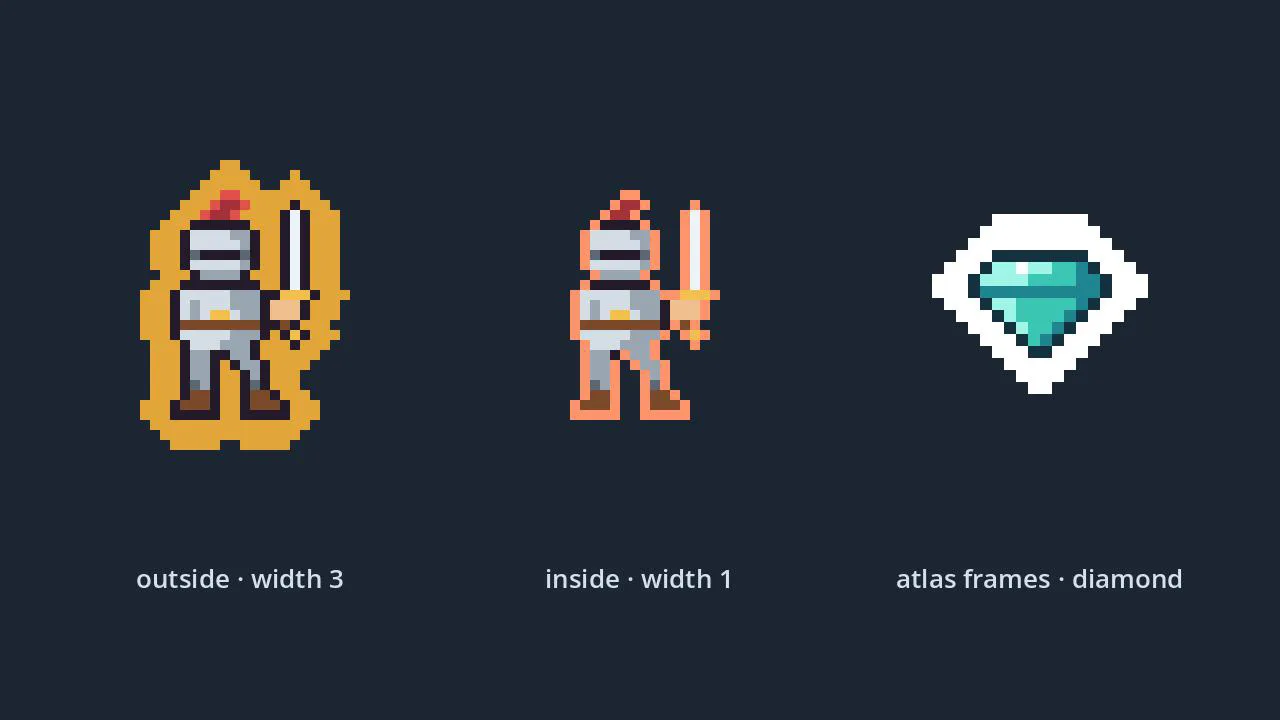
Sprite Outline Shader
A crisp pixel outline for any 2D sprite, drawn outside or inside the art, that stays clean on sprite sheets and atlases.
- Godot 4.7
- CC0
Learn the idea behind it
Questions
How do I make a 2D platformer in Godot 4?
Make the player a CharacterBody2D with a CollisionShape2D, add gravity to velocity.y while it is not on the floor, move velocity.x towards the input direction times your speed, and call move_and_slide() in _physics_process(). Paint the level on a TileMapLayer whose TileSet has a physics layer, add a Camera2D to the player, and use Area2D scenes for coins and checkpoints. This page's download has all of that wired up, with coyote time, jump buffering, hazards, a HUD and tests.
How do I add coyote time and jump buffering in Godot?
Use two counters in physics ticks. Set the coyote counter to your window in ticks (0.1 s at 60 ticks per second is 6) on every tick the body is on the floor, and count it down by one in the air. Set the buffer counter the same way on the tick jump is pressed, and count it down after that. Jump on any tick where the buffer counter is 0 or more and the body is on the floor or the coyote counter is 0 or more, then set both to -1. Counting whole ticks, rather than subtracting delta from seconds, keeps the last allowed tick from depending on floating-point rounding. In this starter's tests that allowed a jump up to 0.100 s after the edge and a press up to 0.100 s before landing, and refused both at 0.117 s.
How do I stop the Camera2D at the edges of a TileMapLayer level?
Set the camera's limit_left, limit_top, limit_right and limit_bottom from the layer when the level loads. get_used_rect() gives the painted area in cells; multiply by tile_set.tile_size and pass the corners through to_global() so the layer's position and scale count. The limits then follow the level whenever you paint past the old edge.
Can I use this platformer template in a commercial game?
Yes. Everything in the zip, including the scripts, scenes, tileset, pixel art and tests, is released under CC0 1.0, which places it in the public domain. You can use it, change it and sell games made with it without asking or giving credit. LICENSE.txt in the zip has the full legal text.